 PictelvoPreparing your creative space…
Create an International Men’s Day photo frame with your own picture. Choose a 9:16 WhatsApp status or 1:1 square design, add your photo and download your image.
PictelvoPreparing your creative space…
Browse categories
BROWSE
All Categories
Templates
Loading templates…
FESTIVAL PICKS
View all →
Festival Special
Loading templates…
LOVE FAILURE
View all →
Love Failure Templates
Loading templates…
International Men’s Day Photo Frame | Add Your Photo
Template details
International Men’s Day Photo Frame | Add Your Photo
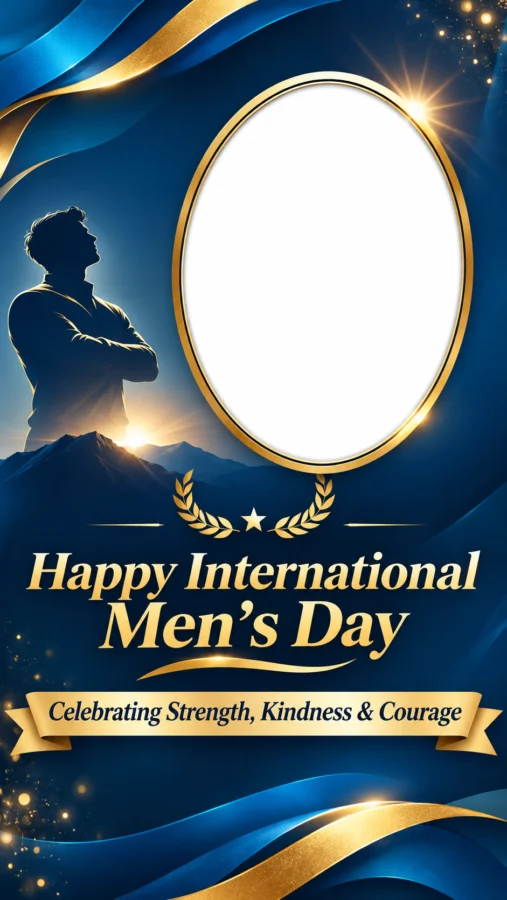
Celebrate someone who makes a difference in your life with this International Men’s Day photo frame. Add your own portrait or a photograph of your father, brother, husband, friend, or mentor to create a greeting with a personal connection.
The design brings together a deep navy-blue background, flowing gold-and-blue ribbons, and a gold-bordered oval for your photograph. On the left, a man’s silhouette stands against a mountain sunrise. Small golden sparkles and a laurel-and-star detail complete the composition, while the open oval keeps your chosen portrait clearly visible.
The artwork carries two messages: “Happy International Men’s Day” and “Celebrating Strength, Kindness & Courage.” These words make the greeting suitable for appreciating not only someone’s achievements, but also their kindness, encouragement, and everyday support.
Both versions are available on this page. Choose the 9:16 vertical layout for your Men’s Day WhatsApp status or the 1:1 square layout for a square social post or personal photo greeting. Each version keeps the same blue-and-gold theme, with the frame, silhouette, and wording arranged to suit its shape.
International Men’s Day is observed on 19 November, recognising positive male role models and the contributions men make to their families and communities. A personalised photo greeting offers a simple way to express that appreciation.
Choose your preferred layout, add a photograph, adjust its position inside the oval, and download your personalised International Men’s Day image directly from this page.
- Template type
- Photo design
- Language
- English
- Original design layout
- Portrait
- Photo shape in original design
- Oval
- Also available
- Profile DP · Square · 1:1
Photo placement and saving tips
- Choose the 9:16 vertical design or the 1:1 square design.
- Upload the photograph you want to add to the frame.
- Move and resize your photo to fit naturally inside the oval.
- Check the preview to make sure the face and hair are not cut off.
- Download the finished Men’s Day image to your device.
- Share your personalised greeting with the person you are celebrating.
Use a clear, well-lit portrait with some space around the head and shoulders.
A single-person portrait is easier to position inside the oval than a wide group photograph.
Keep the face comfortably inside the gold border rather than close to its edges.
Choose the layout before adjusting your photo, and check the preview for each version you download.
Use your own photograph or one you have permission to share.
MORE LIKE THIS
Related templates
POPULAR NOW
Trending templates
Add Pictelvo shortcut
Open Pictelvo quickly from your Home Screen.