 PictelvoPreparing your creative space…
Create an International Men’s Day photo greeting in a sunny rectangle frame. Add your photo, choose 9:16 or 1:1, and download your finished personalised design.
PictelvoPreparing your creative space…
Browse categories
BROWSE
All Categories
Templates
Loading templates…
FESTIVAL PICKS
View all →
Festival Special
Loading templates…
LOVE FAILURE
View all →
Love Failure Templates
Loading templates…
International Men’s Day Rectangle Photo Frame | Add Photo
Template details
International Men’s Day Rectangle Photo Frame | Add Photo
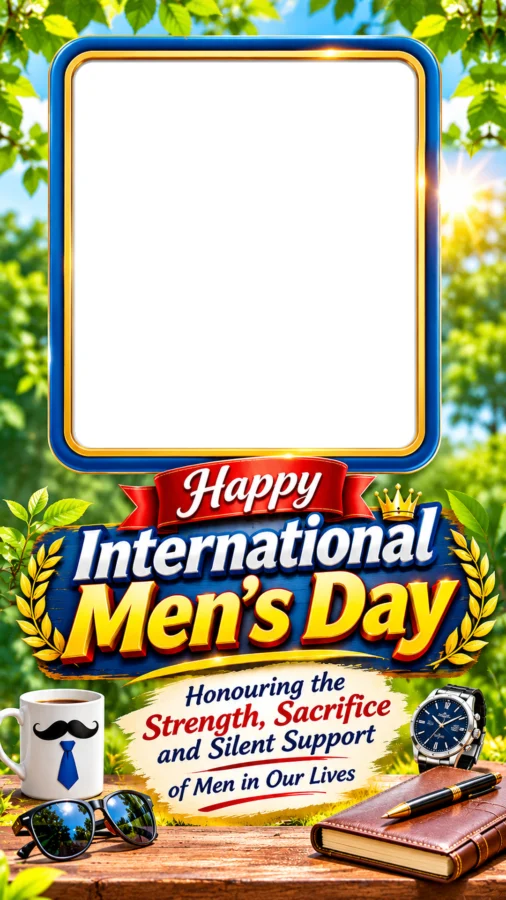
Celebrate the men who offer encouragement, lend a hand, and make everyday life better. This International Men’s Day rectangle photo frame turns a favourite portrait into a personal message of appreciation for a father, brother, husband, friend, colleague, or mentor.
Sunlit green leaves and a grassy foreground give the artwork a fresh outdoor setting. A glossy blue border with gold trim surrounds the large rectangular photo opening, with softly rounded corners that complement the decorative details. A blue satin bow and a hanging “19 November” tag bring extra colour to the upper part of the design.
Below the photo area, oversized white-and-gold lettering makes “International Men’s Day” the main greeting. A red “Happy” ribbon adds a contrasting accent, while golden laurels and a small crown complete the celebration. A trophy, stacked books, sunglasses, and a pen decorate the lower portion without becoming the focus of your portrait.
The accompanying message reads:
“Honouring the Men Who Lead,
Support, Protect & Inspire”
Choose the 9:16 vertical version for a personalised Men’s Day WhatsApp status or the 1:1 square version for a square photo greeting. Both layouts share the same daylight theme, colours, and appreciation message, with the elements arranged to suit each shape.
Upload your chosen picture, position it inside the rectangle, and preview the result. Your finished International Men’s Day rectangle photo frame is then ready to download directly from this page and share.
- Template type
- Photo design
- Language
- English
- Original design layout
- Portrait · 9:16
- Photo shape in original design
- Rounded corners
- Also available
- Profile DP · Square · 1:1
Photo placement and saving tips
- Choose the 9:16 vertical layout or the 1:1 square layout.
- Upload your chosen photo from your device.
- Adjust your photo to fit inside the rectangular opening.
- Check the preview to make sure the face sits comfortably within the border.
- Download your completed Men’s Day photo greeting.
- Share the image as a status, a social post, or a personal message.
Choose a clear photograph with good lighting and some space around the person’s head and shoulders.
The white rectangle in the template preview marks the area for your photograph.
Check the photo position separately when creating both the vertical and square versions.
Use an original photo rather than a screenshot where possible.
Only upload photographs you own or have permission to use.
MORE LIKE THIS
Related templates
POPULAR NOW
Trending templates
Add Pictelvo shortcut
Open Pictelvo quickly from your Home Screen.